

Free WordPress plugin · Version 3.0.4
Flyerimage.
One campaign builder for all your websites.
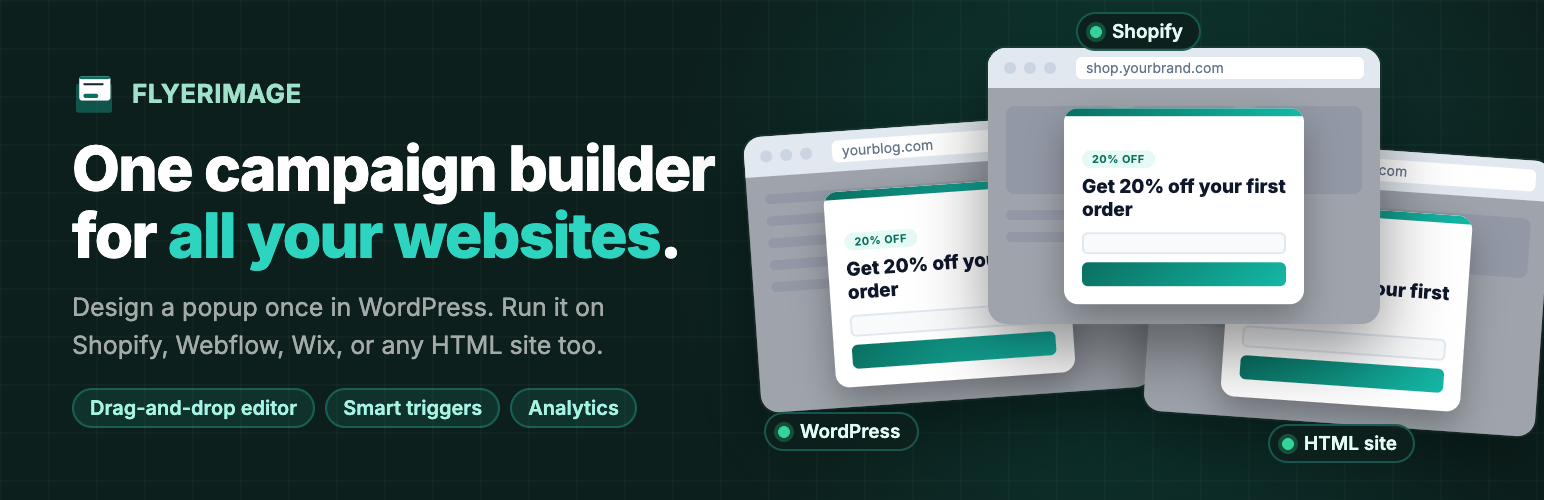
Design a popup once in your WordPress dashboard and run it everywhere you have a website: this WordPress site, your Shopify store, your Webflow landing pages, or a plain HTML page.
Everywhere
Run campaigns on
any website.
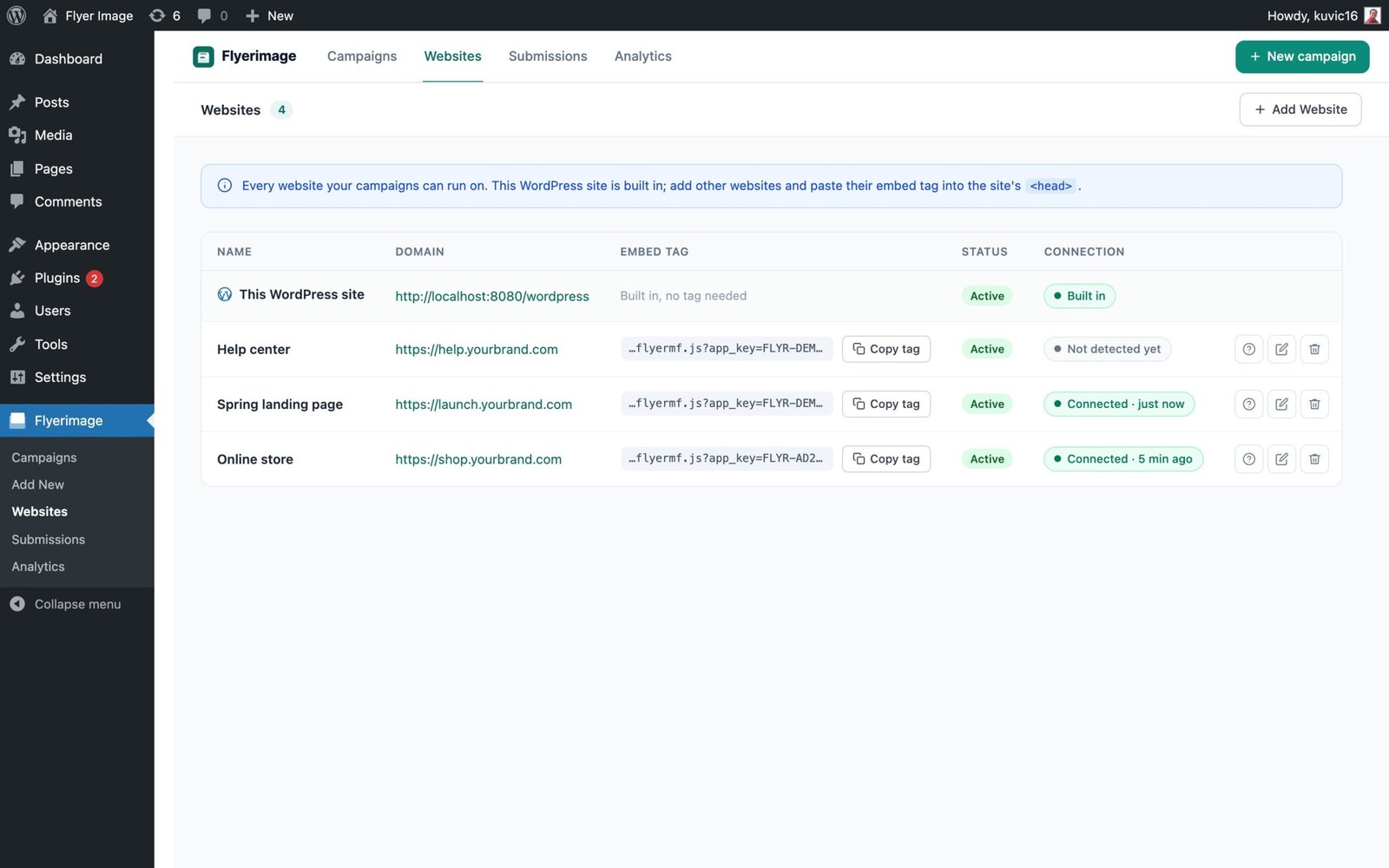
Add a website, copy its one-line embed tag, and paste it into that site’s head. Your campaigns appear there with the same targeting rules and analytics.
Works on your platform
Shopify, Webflow, Wix, Squarespace, Framer, Carrd, and static HTML sites.
No WordPress needed there
The other site only needs the one-line tag. You design and manage everything from your WordPress dashboard.
Live connection status
See whether each site’s tag is installed and when it was last seen, with a warning if it runs on a different domain.
Choose per campaign
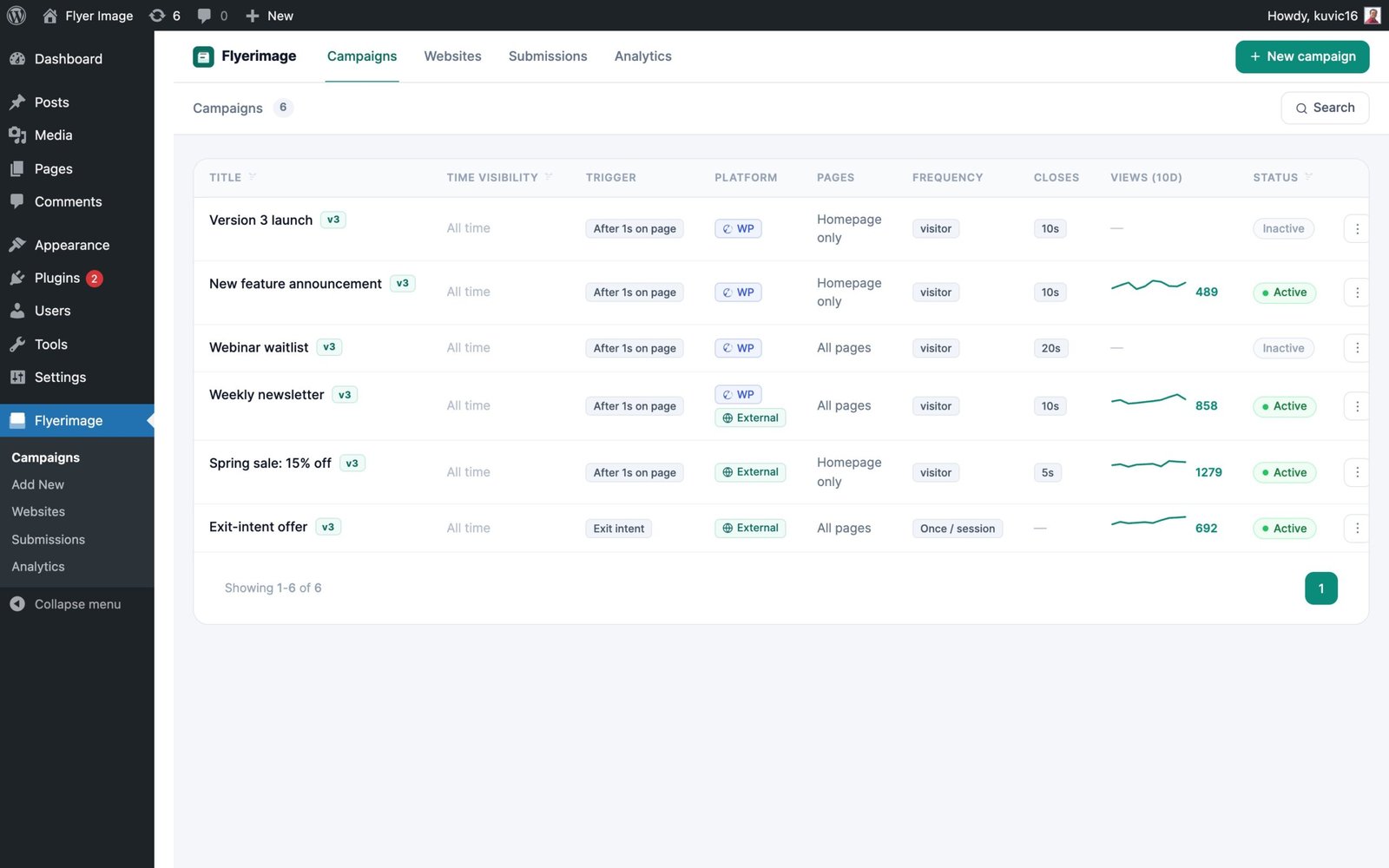
Run a campaign on this WordPress site, on other websites, or on both.
Pause any time
Switch a website off without touching its code, then turn it back on later.
One editor, one dashboard
The same canvas editor, targeting rules and analytics for every website you run.
Install
Live in minutes.
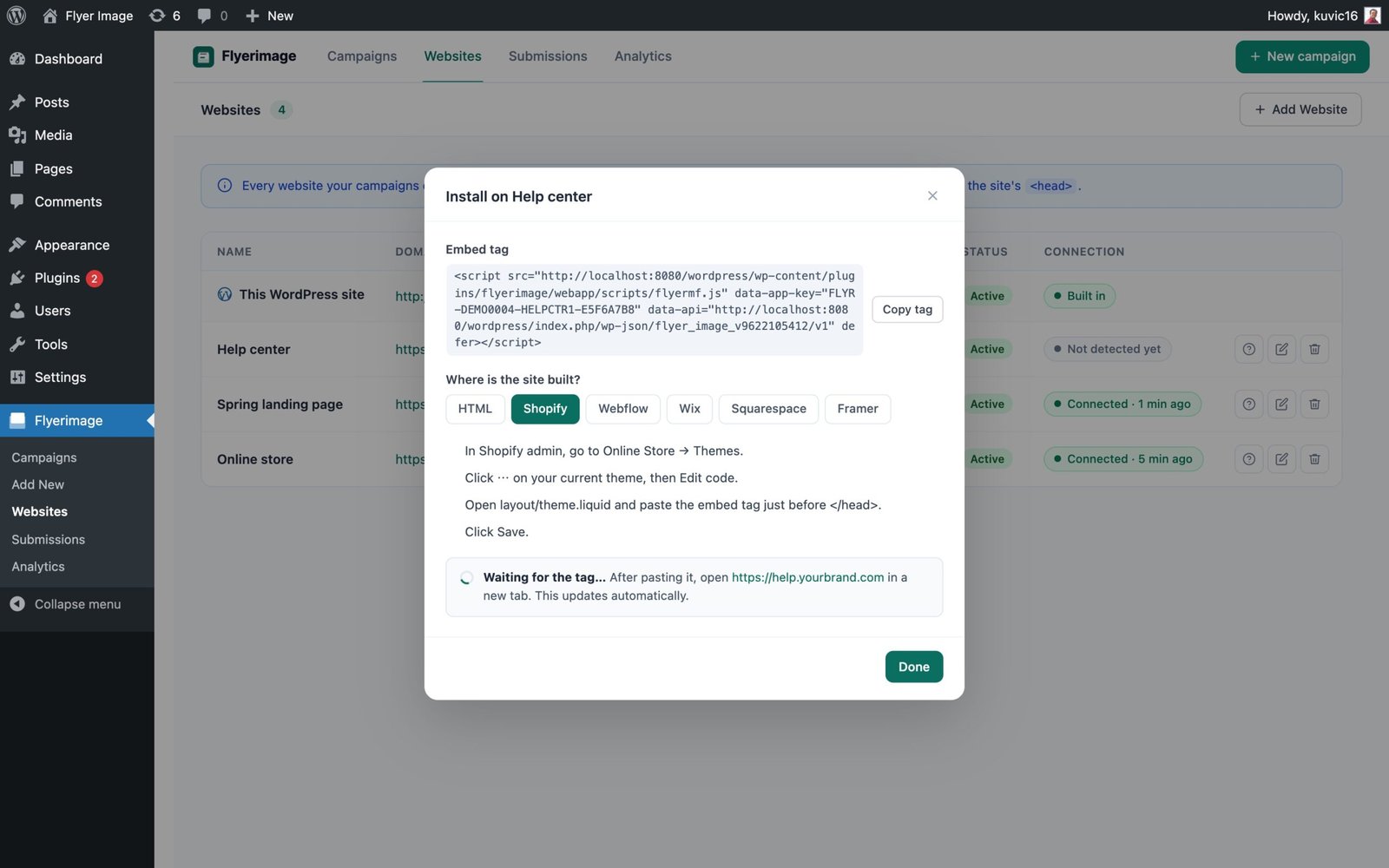
Paste the tag once. Flyerimage shows “Waiting for the tag…” and turns to Connected as soon as the site loads it.
Shopify
In Shopify admin go to Online Store → Themes → Edit code, open theme.liquid, and paste the embed tag just before </head>. Save, then enable the site in your campaign’s rules.
Webflow
Open Site settings → Custom code, paste the embed tag into the Head code box, save, and publish the site.
Wix
Go to Settings → Custom code → Add code, and place it in Head on all pages.
Squarespace
Go to Settings → Advanced → Code injection → Header, paste the embed tag and save.
Any other site
Paste the one-line embed tag into the site’s <head>. This works for Framer, Carrd and plain HTML pages.
Design
A canvas.
Not a form.
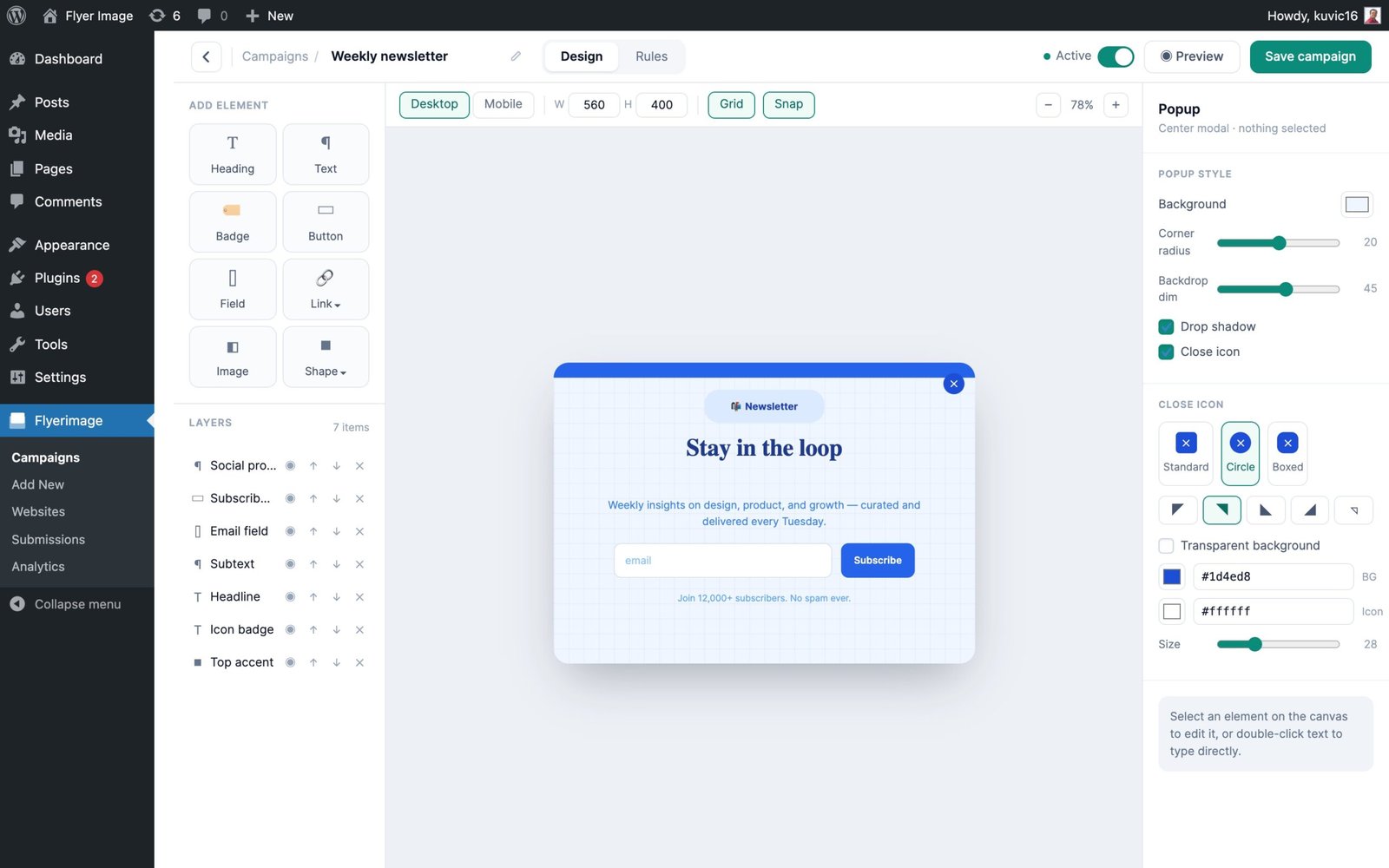
Place any element exactly where you want it, with separate desktop and mobile layouts.
9 elements
Heading, text, badge, button, form field, image, shape, link button and text link.
13+ shapes
Flexible design accents to make every popup your own.
Desktop and mobile
Design each layout separately so it looks right on every screen.
Close and countdown
Four close-button styles and an optional auto-close countdown.
Start
Ready in seconds.
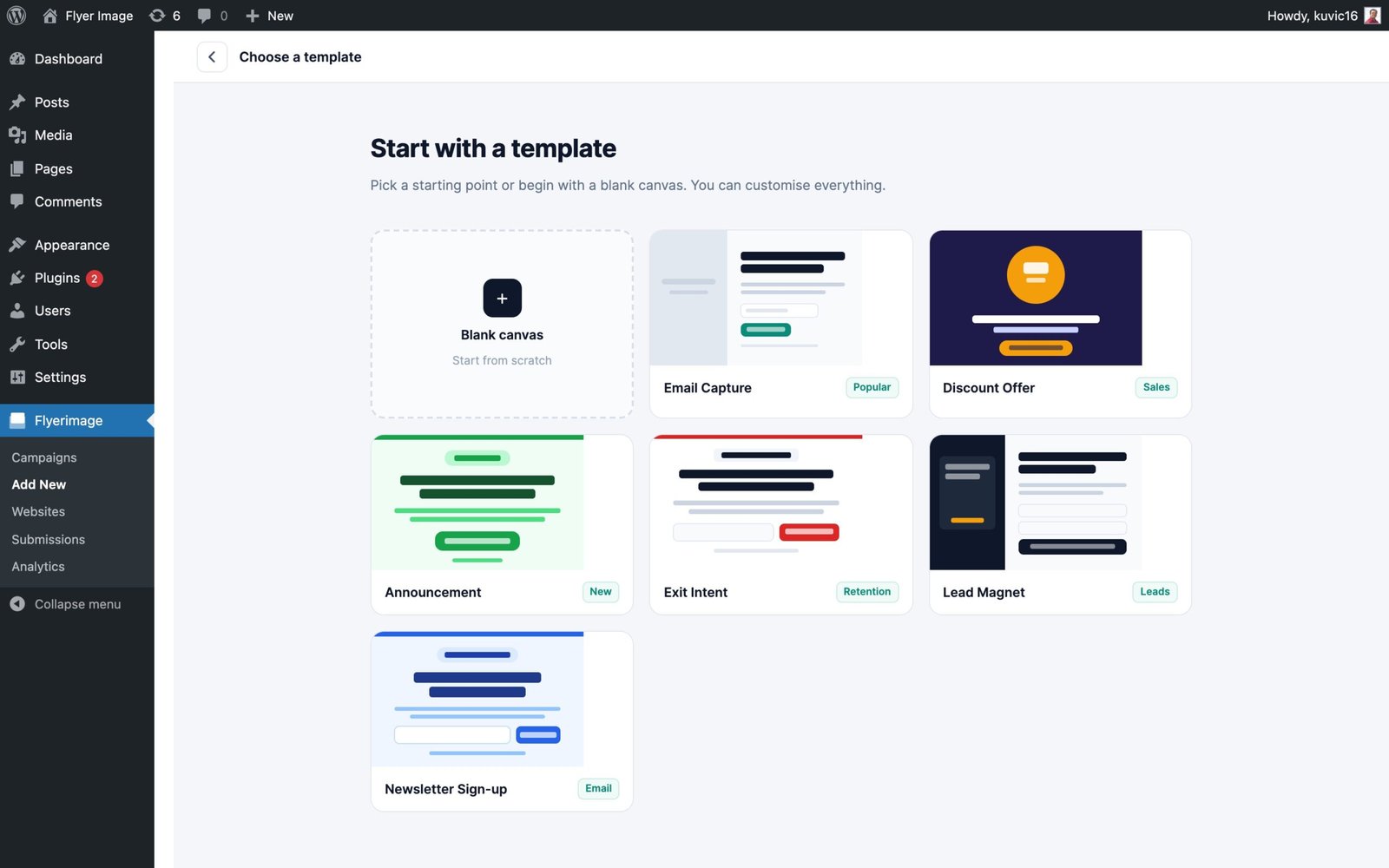
Begin with a blank canvas or pick one of six starter templates.
Target
The right popup.
The right people.
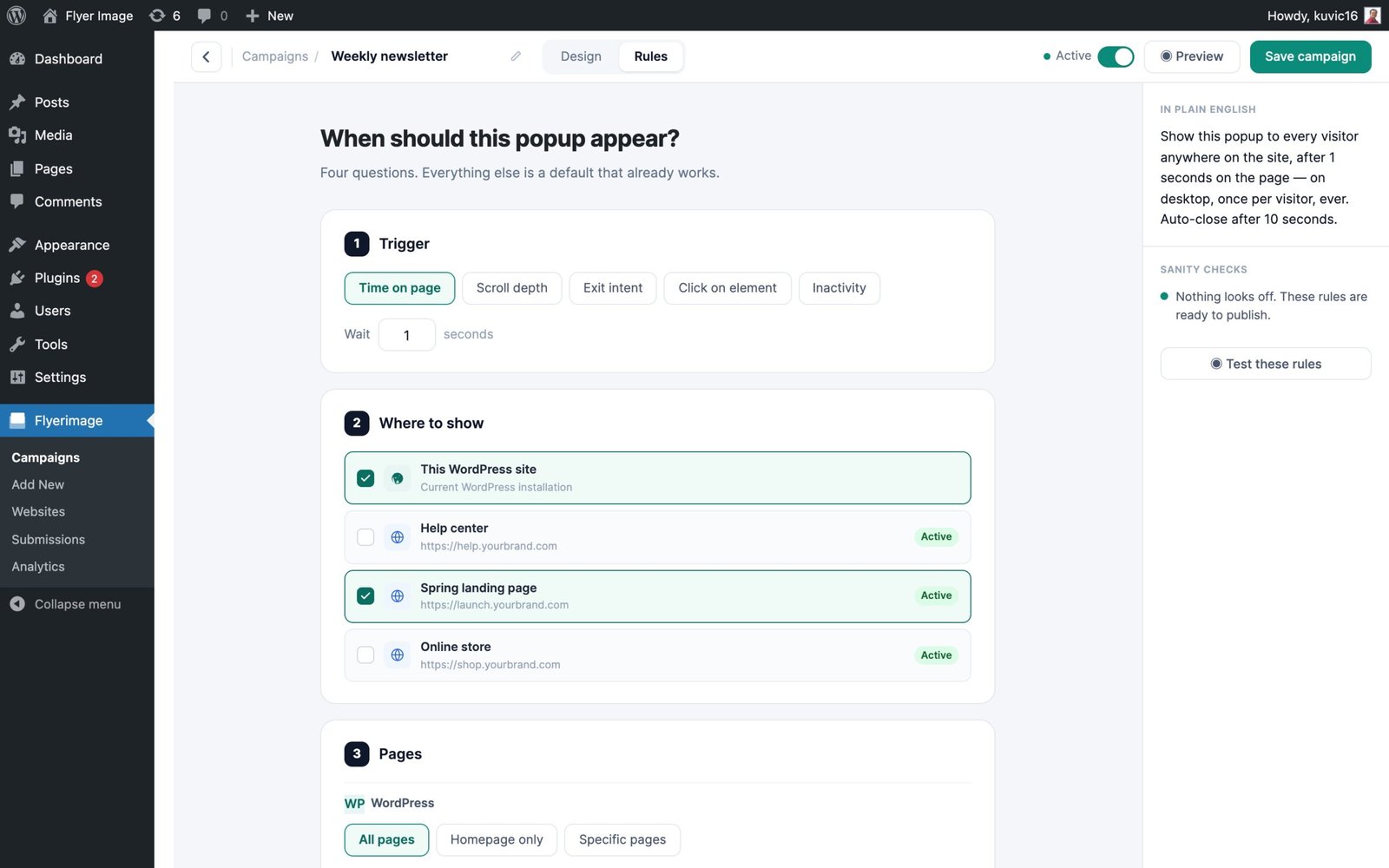
Choose the trigger, the pages, the audience and the websites, with a plain-English summary of your rules.
5 triggers
Time on page, scroll depth, exit intent, click on an element, or inactivity.
Pages
Target all pages, the homepage, or specific pages.
Audience
Show to first-time visitors, returning visitors, or everyone.
Devices
Target desktop, tablet or mobile, or any mix.
Frequency
Show once per visitor or on every visit.
Websites
Pick which websites each campaign runs on.
Measure
Know what works.
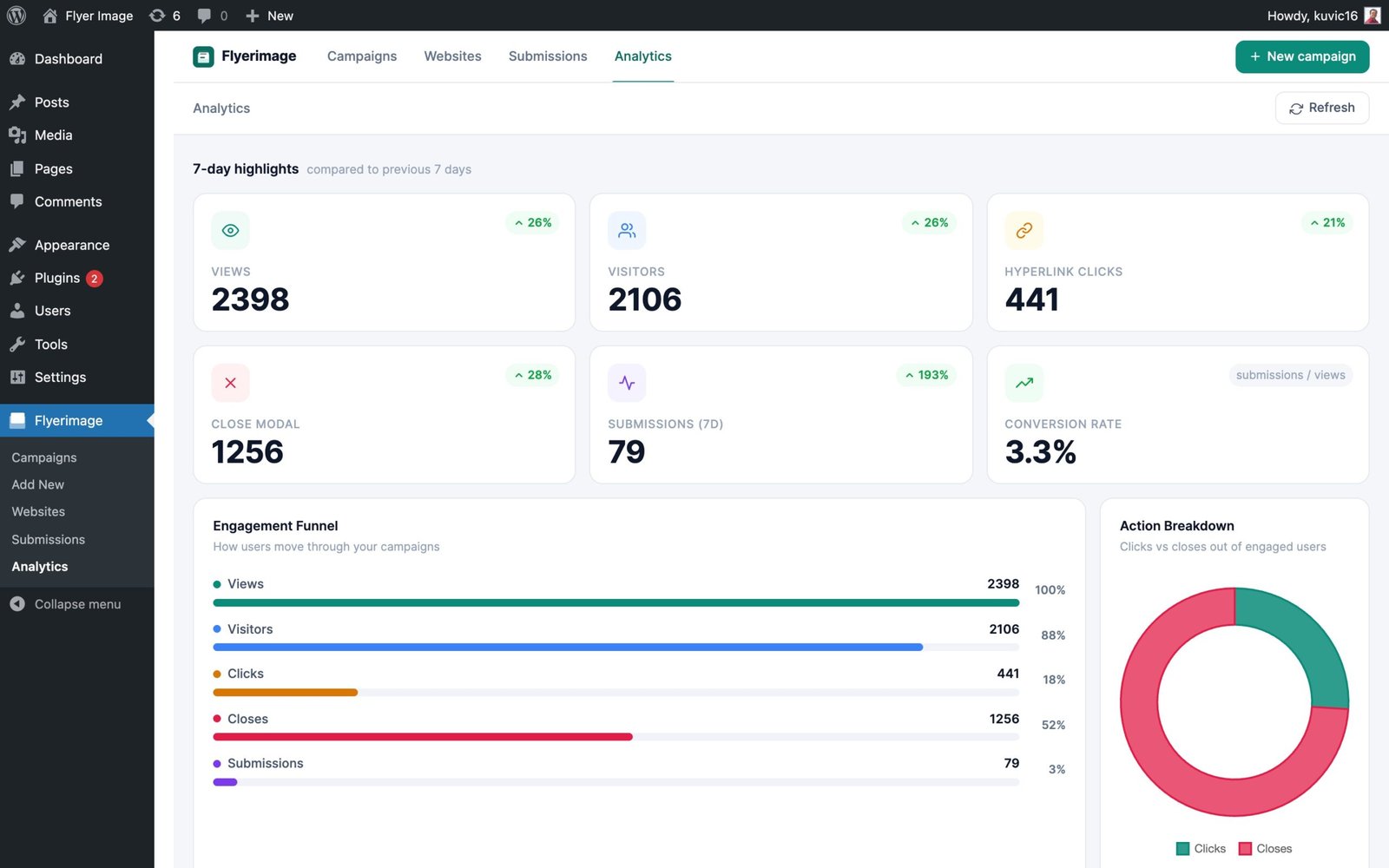
Per-campaign analytics and a site-wide dashboard that compares every campaign.
Views, visitors, clicks, closes, submissions, conversion rate and device split.
Capture
Turn visitors
into leads.
Add form fields right inside your popup and keep spam out automatically.
Built-in form fields
Capture emails and other details directly from the popup.
Spam protection
A honeypot field and IP rate limiting keep junk out, with no CAPTCHA.
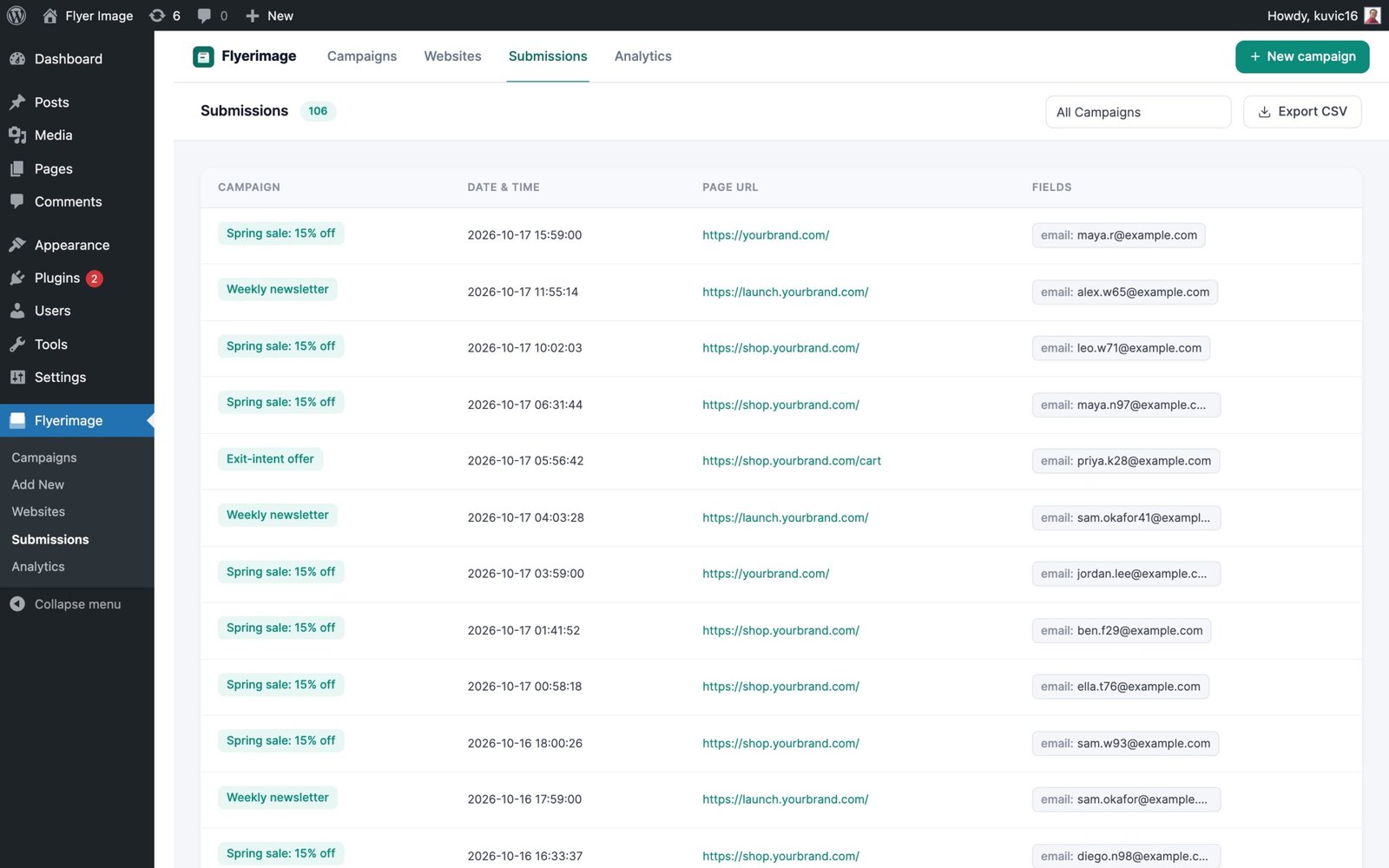
Submissions log
Entries from every campaign and website, filterable by campaign, with CSV export.
Latest update · 3.0.4
What’s new.
Connection status
Each website now shows Connected, Not detected yet, or Last seen, with a warning when the tag runs on a different domain.
Live install guide
The install guide shows “Waiting for the tag…” and turns to Connected as soon as the site loads it.
Easier navigation
New sidebar submenus for Campaigns, Add New, Websites, Submissions and Analytics, plus a shared navigation bar. “External Sites” is now “Websites”.
Fixes
Analytics now counts link clicks on canvas-editor popups, and database updates now run after a plugin update.
Gallery
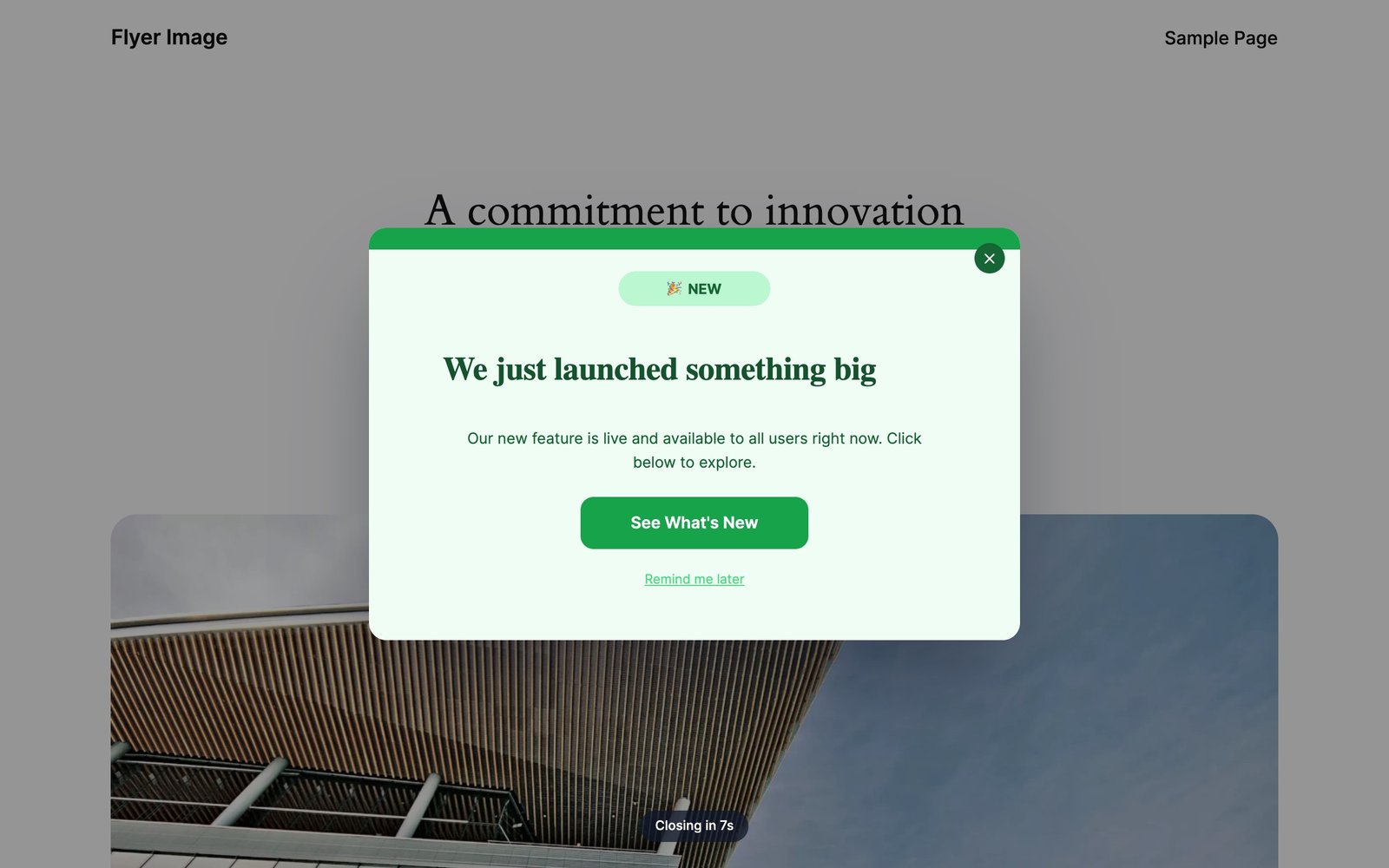
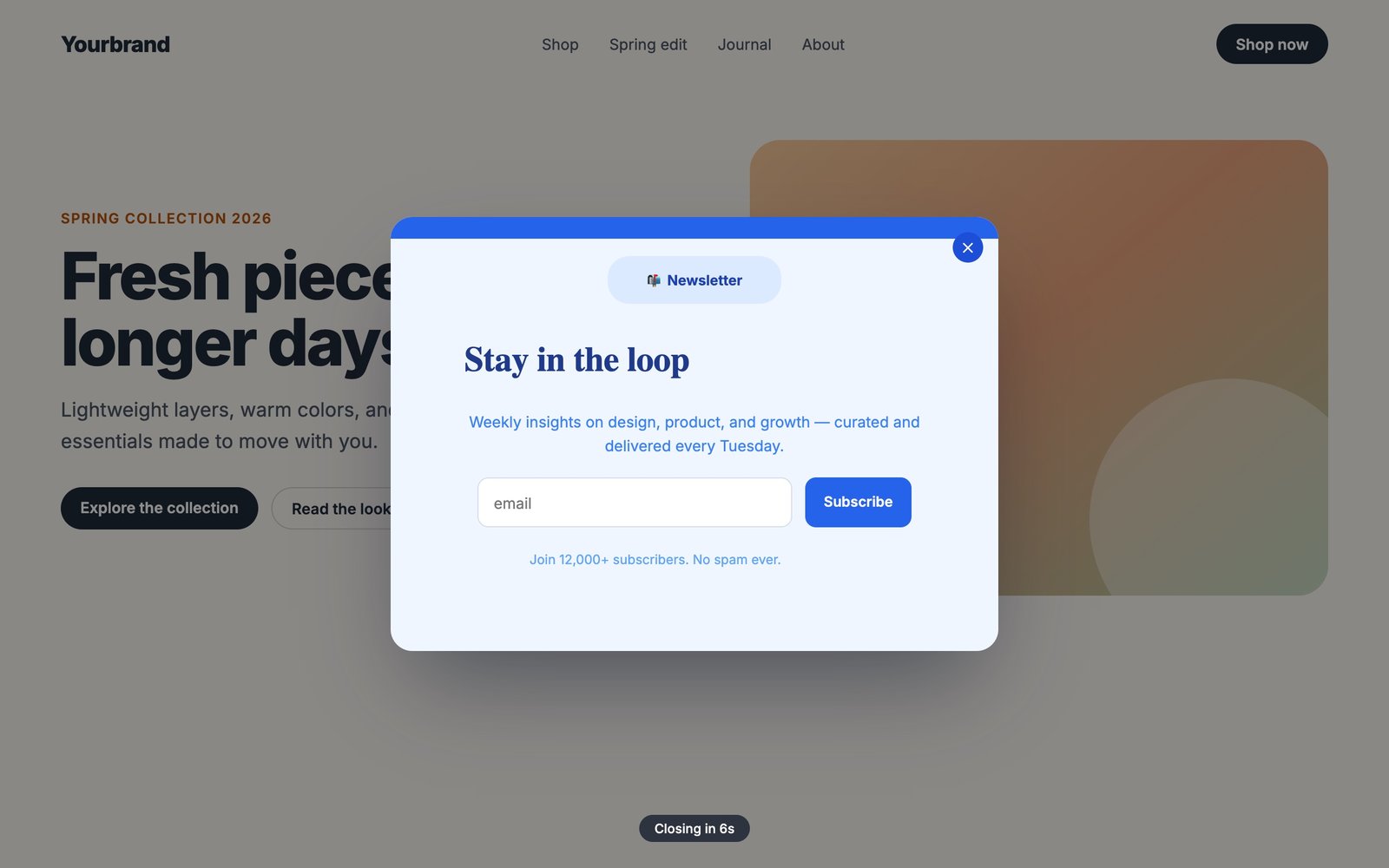
See it in action.
Details.
Questions.
Is Flyerimage free?
Yes. Flyerimage is completely free. Install it from the WordPress plugin directory and start creating campaigns right away, with no account or licence key required.
Can I show popups on a site that isn’t WordPress?
Yes. Go to Flyerimage → Websites, add the website, and copy its embed tag. Paste the tag into the site’s <head> and any campaign targeting that site will appear there. The other site doesn’t need WordPress.
How do I know the embed tag is installed correctly?
Each website shows a connection status. It changes from “Not detected yet” to “Connected” the first time someone opens a page with the tag, and it warns you if the tag is running on a different domain.
Can one campaign run on WordPress and another site at once?
Yes. In the campaign’s Rules tab, keep WordPress checked and select the other websites you want. You can also target other sites only.
What happens if I set a website to Inactive?
Popups stop showing on that site straight away. The site stays in your list with its embed tag, so you can turn it back on later without touching its code.
Do I need to know how to code?
No. The canvas editor is fully drag-and-drop, and you can design, target and launch a campaign entirely from the dashboard.
How is spam prevented in form submissions?
Flyerimage uses a honeypot hidden field and IP rate limiting (up to 10 submissions per IP per hour), with no CAPTCHA.
What are the requirements?
WordPress 5.0 or higher and PHP 8.0 or higher.
One builder.
All your websites.
Free, open source, and ready for WordPress, Shopify, Webflow and more.